Ask AI about your channels with Claude and ChatGPT
If you run more than one YouTube channel, you have probably wished you could just ask Claude or ChatGPT "what are my best videos this week?" and get a real answer. Not a guess, not a Google search — an actual answer pulled from your live analytics. That is now possible with peeksy.
What is MCP, in two minutes
MCP (it's how AI tools talk to apps like peeksy) is a new standard that lets AI assistants connect directly to your data. Think of it as a secure bridge: Claude or ChatGPT sits on one side, your peeksy analytics sit on the other, and MCP handles the conversation in between.
Before MCP, asking AI about your channels meant copy-pasting numbers, exporting CSVs, or describing your data in text and hoping the AI made sense of it. None of that was fast or accurate. With MCP connected, your AI app can pull fresh data directly from your peeksy dashboard the moment you ask.
You do not need to be technical to set this up. The process takes about five minutes, and this post walks you through it.
What this unlocks for creators
Here are three things you can do immediately after connecting peeksy to your AI app.
Get your weekly digest without opening a dashboard. Instead of clicking through peeksy every Monday morning, you can type /peeksy-weekly-digest in Claude or ChatGPT and receive a plain-English summary of the week — top channel, top video, revenue movement, and one recommendation. It reads the data and writes the summary for you.
Understand why revenue changed. Revenue up this month, down last month — it is often hard to tell why just by looking at numbers. With /peeksy-revenue-deep-dive, your AI traces the movement across channels and links it to specific videos or time periods. Instead of staring at a spreadsheet, you read a paragraph.
Check on any channel quickly. If you manage multiple channels and one starts underperforming, you can run /peeksy-channel-health and get a view into views, RPM, top videos, and subscriber growth. It works across all your linked channels, not just the one you last looked at.
These are not hypothetical. These are real skill prompts built into peeksy that execute the moment you type them.
Setup in five minutes
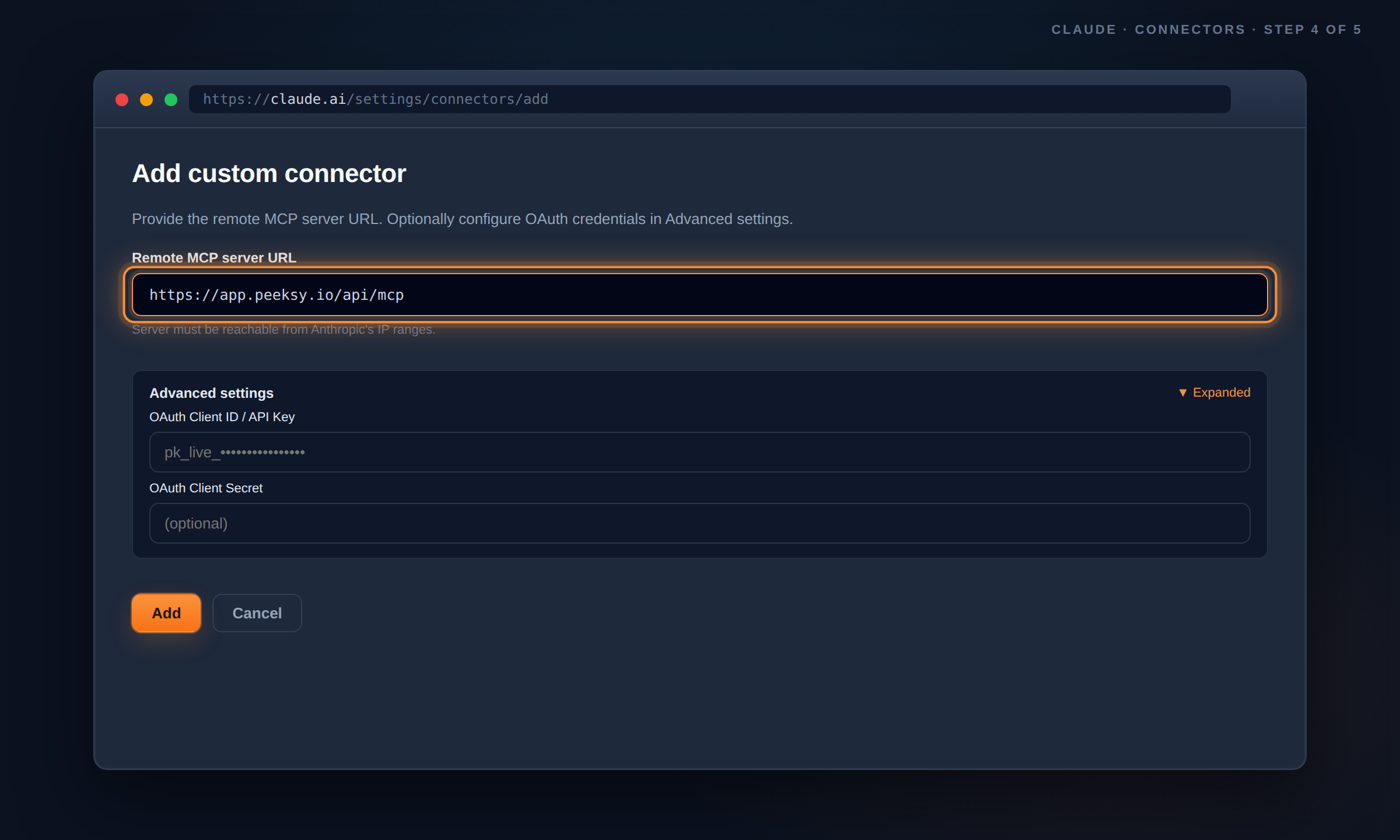
Connecting peeksy to your AI app works the same way on Claude Desktop and ChatGPT Desktop. You create an API key in peeksy, paste a short JSON config into your AI app's settings, and restart the app. That is the whole process.
For Claude Desktop on macOS, the config goes into your Claude settings under Developer. You open the settings, toggle the Developer mode on, click Edit Config, and paste:
For ChatGPT Desktop, the same config goes into Settings under Connections. It looks slightly different but works exactly the same way.
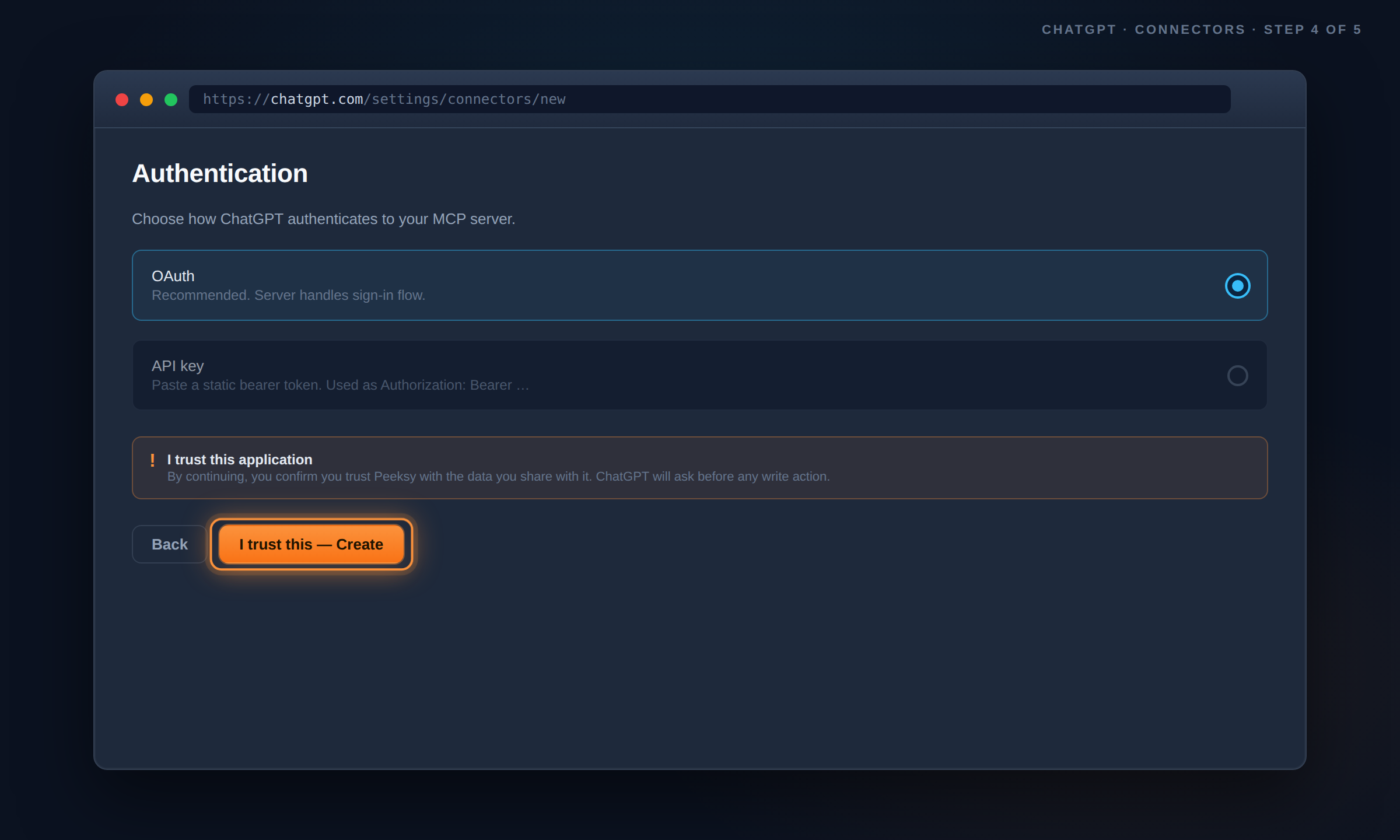
The full step-by-step guide with screenshots for both clients and both operating systems is on the setup page. Already have peeksy? Open the setup guide.
Try these prompts
Once connected, here are five prompts worth trying straight away. Copy any of them and paste into Claude or ChatGPT.
"What were my top 5 videos last 28 days?" — pulls your best-performing videos across all channels by view count.
"Show me revenue across all channels for this month." — gives you total revenue broken down by channel so you can see which ones are earning.
"Generate a revenue report for my channels for this month." — creates a downloadable Excel report you can share with a brand partner or accountant.
"Compare watch time between my two newest channels." — useful if you are growing a second channel and want to see how the two compare side by side.
"Show me the last 10 videos I uploaded with their views." — a quick pulse check on recent upload performance.
None of these require any data prep on your end. You just ask and peeksy handles the retrieval.
This is how peeksy talks to AI now
For creators managing more than one channel, analytics has always meant more tabs, more exports, more time. This update is an attempt to remove as much of that friction as possible. You ask in plain English, peeksy finds the answer in your live data, your AI explains it.
It works with the apps most creators already use. No new tool to learn. No additional subscription beyond your existing peeksy plan.
If you want to try it, the free 14-day trial gives you full access including MCP. Try peeksy free.
If you are already a peeksy customer, your API key section is live and ready. Open the setup guide and you can be connected in under five minutes.